Choose your hardware
Family mruby runs on two machines. They share the same OS, the same API and the same apps — what differs is how the picture gets out, how you hold the thing, and what it is for.
Modern — M5Stack Tab5
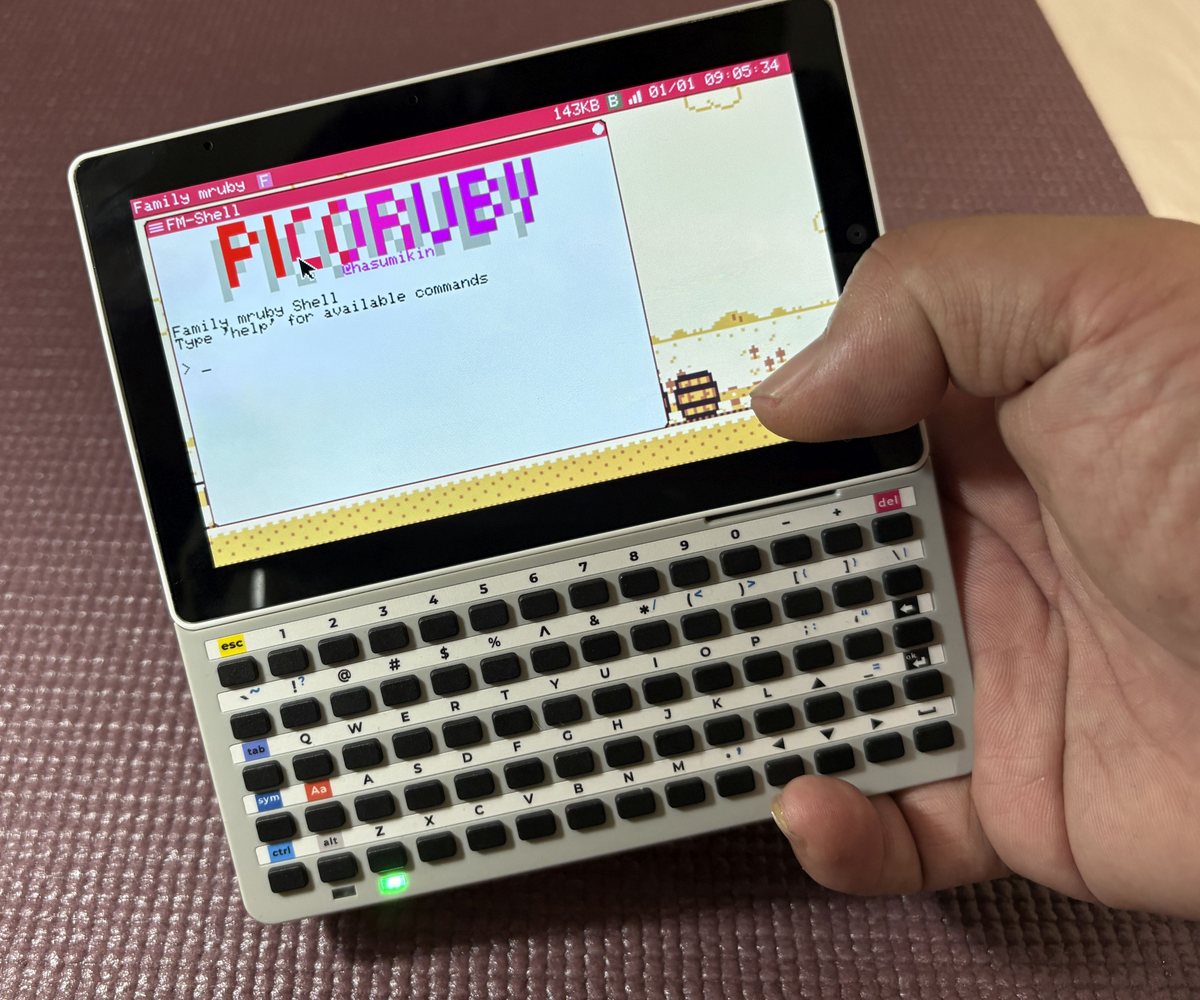
Modern, with the Tab5 Keyboard attached
A stock M5Stack Tab5. No modification and no soldering: flash it from your browser and it boots into the desktop.
One ESP32-P4 runs everything — the OS, the graphics, the sound, the input — with an ESP32-C6 alongside it for Wi-Fi and BLE. The screen is in the lid, so it is the whole computer in one hand.
Pick Modern if you want to write code, carry it around, use touch, put it on a network, or drive the device from your PC's browser over Wi-Fi.
→ Modern (M5Stack Tab5): from the box to the desktop
Retro — narya-board
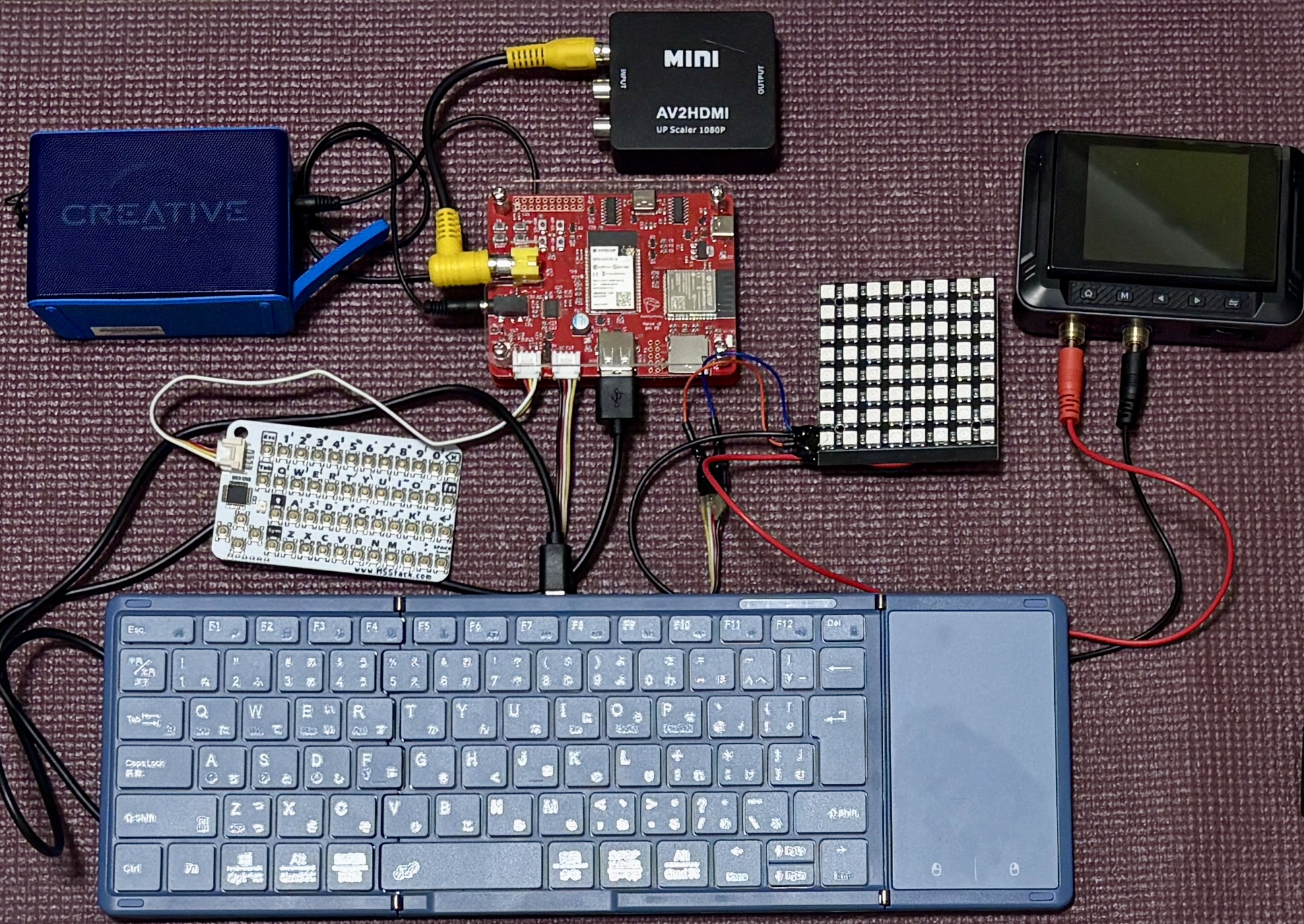
A dedicated board, on sale at BOOTH, with the design files published so you can build your own. An ESP32-S3 runs the OS and hands the picture and the sound to a second ESP32 that generates real NTSC composite video — the signal a CRT television actually wants — and NES-style APU audio.
Pick Retro if you want to put the output on a CRT, work in the 320x240 / 256-colour world the sound chip was designed for, or wire things to the GROVE ports and the battery-backed clock.
Side by side
| Modern | Retro | |
|---|---|---|
| Hardware | M5Stack Tab5 (off the shelf) | narya-board (BOOTH, or build your own) |
| Chips | ESP32-P4 + ESP32-C6 | ESP32-S3 + ESP32-WROVER |
| Display | Built-in 1280x720 IPS panel (MIPI-DSI) | NTSC composite, RCA jack |
| Framebuffer | 426 x 240 (3x on the panel) | 320 x 240 |
| Colours | 256 (RGB332) | 256 (RGB332) |
| Sound | Built-in speaker + headphone jack | 3.5 mm line out |
| Sound engine | NES-style APU (4 channels) | NES-style APU (4 channels) |
| Pointer | Touch panel, or a USB mouse | USB mouse |
| Keyboard | Tab5 Keyboard, or a USB keyboard | USB keyboard |
| USB host | USB-A port | USB-A port |
| Wi-Fi / BLE | Both, at the same time (ESP32-C6) | Either one, not both (single radio) |
| Remote desktop | Yes, over Wi-Fi in a browser | No |
| Expansion | 1x GROVE | 2x GROVE, battery-backed RTC |
| Storage | Internal flash (16 MB). The microSD slot is not wired up in the firmware yet | Internal flash (16 MB) + microSD |
| Firmware to flash | One (fmruby-core-tab5) |
Two (fmruby-core + fmruby-graphics-audio) |
| Power | USB-C, built-in battery | USB-C |
What is the same on both
- The Ruby API. An app written on one runs on the other.
- The desktop, launcher, editor, shell and file manager.
- The bundled apps, including the games and demos.
- MicroPython (
.py), BASIC (.bas) and Lua apps. - The Ruby networking API, and MIDI output.
- The simulator, which runs the whole system on Linux with no hardware at all.
What is different in your code
Almost nothing — but two things are worth knowing:
Screen size. Modern gives you 426 x 240, Retro 320 x 240. Lay out from the drawable area your app is actually given rather than from a hardcoded number, and the same code fills both screens:
cx = @user_area_x0 + @user_area_width  / 2
cy = @user_area_y0 + @user_area_height / 2
See FmrbApp > Window geometry for the full set.
Wiring. The GROVE pins differ between the boards. If your app talks to hardware, branch on the board:
pin = case FmrbConst::BOARD
      when "tab5", "naryav4" then 54   # Tab5 GROVE, SCL side
      else                        48   # narya-board GROVE 2
      end
FmrbConst::BOARD is one of "tab5", "naryav4", "atom_display", "narya_v3" or
"linux".
See Hardware for the full pin assignments of both machines.